Designing Focus: How to Choose Wallpapers That Boost Your Home Office Productivity


Transform Your Digital Environment for Peak Performance
You sit down at your desk, coffee in hand, and open your laptop, only to be greeted by a chaotic desktop overflowing with icons or a high-contrast image that strains your eyes. It is easy to overlook the background of your workspace, yet it is the canvas upon which your entire day of productivity is painted. A cluttered or visually aggressive desktop can subconsciously drain your cognitive bandwidth before you have even drafted your first email, while the right imagery can serve as a mental anchor, keeping you grounded and motivated throughout the most demanding hours of the work week.
Why Your Desktop Wallpaper Matters for Productivity
The human brain is constantly processing environmental cues, and your computer screen is arguably the most "frequented" piece of real estate in your home office. When you look at your screen, you are not just seeing pixels; you are experiencing a sensory input that directly impacts your mood and stress levels. If your wallpaper is too busy, it creates visual noise that competes for your attention. If it is too dark or dreary, it can dampen your motivation and lead to feelings of lethargy. Conversely, a carefully selected wallpaper—one that aligns with your professional goals—can act as a subtle productivity tool. It can signal to your brain that it is time to shift from relaxation to deep work, or provide a necessary "soft-fascination" break that restores your focus after intense cognitive labor. By choosing backgrounds that feature balanced compositions, harmonious color palettes, and clear focal points, you create a digital environment that supports rather than hinders your daily workflow.
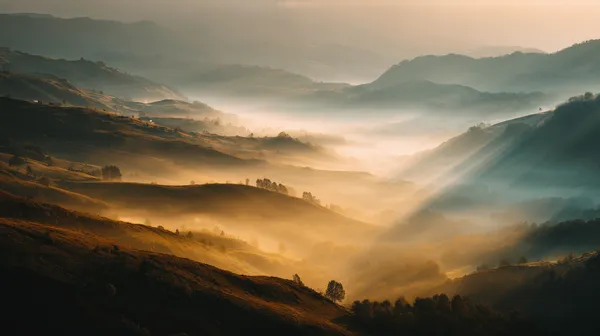
Golden Valley Mist: Serene Sunrise Landscape Wallpaper
This landscape offers a balanced horizon line and soft, natural light, which is perfect for desktop users who need a calming, non-distracting backdrop for long hours of screen time.
Practical Steps to Choosing Your Productivity Wallpaper
Selecting the right wallpaper is not just about aesthetics; it is about ergonomics and cognitive support. Follow this checklist to ensure your digital workspace is optimized for sustained attention:
- Analyze Your Visual Load: If your desktop is filled with files, folders, or widgets, avoid high-detail images. Opt for minimalist backgrounds with negative space. A clean desktop requires a clean visual foundation to prevent "decision fatigue" and visual clutter.
- Consider Color Psychology: Cool tones like blues and greens are scientifically linked to increased focus and reduced anxiety. Warm tones, used sparingly, can evoke creativity and comfort. Avoid extremely high-contrast, neon-heavy imagery that can cause eye strain during prolonged use.
- Prioritize Resolution and Scale: A blurry or pixelated image is distracting and degrades the professional feel of your office. Always choose high-resolution files that match your monitor's native aspect ratio. For multi-monitor setups, consider wide-format landscapes that span both screens seamlessly.
- Match the Task to the Tone: For analytical tasks, choose structured, nature-inspired images that provide a sense of stability. For creative brainstorming, look for evocative, abstract, or artistic imagery that sparks imagination without being overwhelming.
- Implement Regular Rotations: Even the best wallpaper can lose its impact over time. Change your background every few weeks to keep your visual environment fresh, or use theme-based rotations that align with seasonal changes or project milestones.

Cozy Library Desk Scene with Warm Lamp and Leather Book
The intimate, studious atmosphere of this portrait-oriented wallpaper makes it an ideal companion for smartphone screens or vertical side-monitors, helping to set a mood of quiet concentration.
Featured Picks: Curated for Focus and Inspiration
Not all images serve the same function. Depending on your current project or the time of day, you may need different types of visual support. We have curated these selections to cater to specific professional needs:
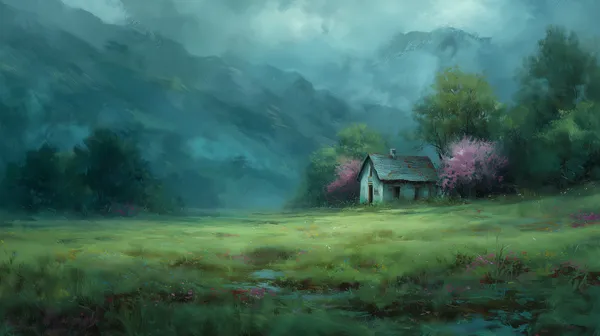
For those who need to feel grounded during stressful deadlines, the Dreamy Mountain Meadow Cottage provides a sense of sanctuary. Its muted teal tones are excellent for reducing visual stress, making it an excellent choice for a landscape-oriented primary desktop display. When your work feels disconnected or abstract, looking at this imagery helps restore a sense of place and tranquility.
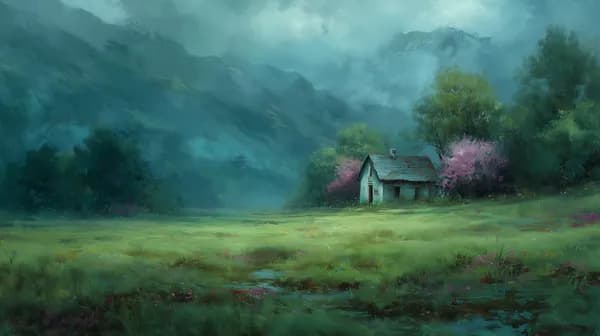
Dreamy Mountain Meadow Cottage in Teal Mist and Blooming Trees
This image uses soft lighting and atmospheric depth to create a sense of vast, open space, perfect for widescreen desktop setups that require a calming, wide-angle view.
Sometimes, productivity requires a touch of whimsy to break the monotony of a long afternoon. The Playful Bear Paragliding and the Festive Red Dragon Figurine are designed for vertical screens and mobile devices. These images provide a gentle mental "reset" button, offering a splash of warmth and personality without demanding too much cognitive processing power.

Playful bear paragliding over sunlit countryside aerial adventure
Portrait-oriented and vibrant, this image is perfect for your smartphone home screen, providing a quick burst of optimism when you check your device for notifications.

Festive Red Dragon Figurine with Dumplings in a Wicker Basket
The soft focus and warm light in this image make it an excellent, non-aggressive wallpaper for your phone or tablet, especially during cold, indoor work days.
For late-night deep work sessions where you need to stay alert but composed, the Close-Up Portrait of a Heart-Faced Owl offers a sharp, focused subject set against a moody background. Its high level of detail engages the mind while the soft lighting ensures that your eyes do not tire quickly. It is an excellent choice for a landscape monitor in a dimly lit office environment.

Close-Up Portrait of a Heart-Faced Owl in Soft Light
This landscape-oriented owl portrait creates a sophisticated, sharp, and focused atmosphere on high-resolution widescreen monitors, helping to keep your eyes centered.
Frequently Asked Questions
Does high-resolution wallpaper affect my computer's performance?
Generally, a static high-resolution image has a negligible impact on system performance. While the file size might be large, once the image is loaded into your desktop environment, it is simply a display asset that does not actively consume processor or memory cycles like an application or a live, animated wallpaper would.
What resolution do I need for a 4K display?
To ensure your wallpaper looks sharp on a 4K monitor, you should aim for a minimum resolution of 3840 x 2160 pixels. Using anything less will cause the system to upscale the image, leading to a blurry or pixelated appearance that can be quite distracting during work.
Are there specific colors that I should avoid for focus?
It is generally best to avoid overly saturated, neon, or high-intensity colors like bright magenta or neon yellow, as these can cause significant eye fatigue after several hours. High-contrast patterns or rapidly changing geometric designs can also disrupt your ability to concentrate by constantly pulling your peripheral vision toward the screen.
Can I use these wallpapers for commercial projects?
Our wallpapers are curated for personal use to help you personalize your digital workspace. They are not intended for commercial resale or use in branding materials unless specified. Please check our usage guidelines for details on how you can legally incorporate these designs into your daily digital setup.
Elevate Your Workflow Today
Your workspace is a direct reflection of your intentions, and optimizing your desktop is one of the easiest, most overlooked ways to improve your daily focus. Do not settle for the default system background; curate your screen to reflect the calm, professional, and inspired state you want to maintain. Explore our full library of nature-inspired and atmospheric wallpapers to find the perfect background to power your next project.